THE INFORMATION IN THIS ARTICLE APPLIES TO:
For version 8.2, refer to Configure Outgoing Mail Settings for Advanced Workflows in v8.2.
EFT v8.0 and later store Advanced Properties in a JSON file. When you upgrade from EFT v7.4.x to EFT v8, the non-default settings that you have defined in the registry will be added to the Advanced Properties file during upgrade. (Default settings become part of the EFT configuration files.) For a more on how to use advanced properties, and a spreadsheet of the advanced properties, please refer to the "Advanced Properties" topic in the help for your version of EFT.
DISCUSSION
SMTP registry setting for Automate 10
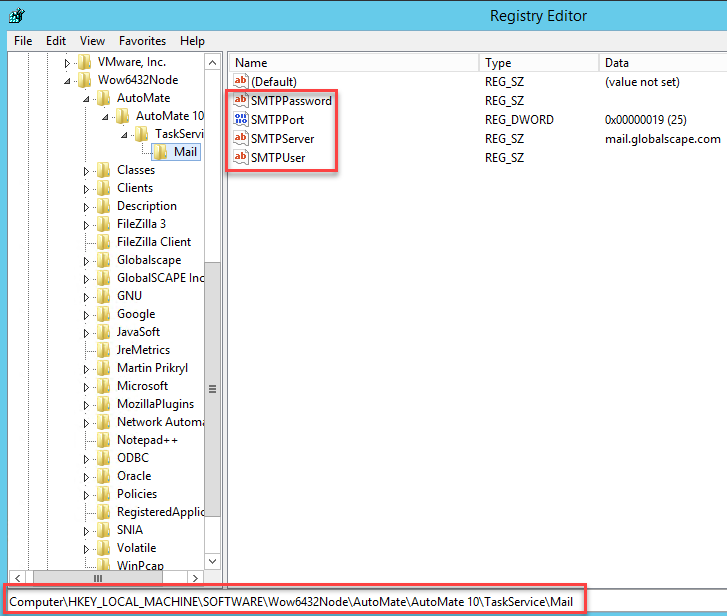
The SMTP server registry key was updated to the following:
[HKEY_LOCAL_MACHINE\Software\WOW6432Node\Automate\Automate 10\TaskService\Mail]
Values:
| Name |
Type |
Data |
| SMTPServer |
REG_SZ |
email server name |
| SMTPPort |
REG_DWORD |
port number (e.g., 0X00000019 (25); 25 is the port number) |
| SMTPUser |
REG_SZ |
username |
| SMTPPassword |
REG_SZ |
password (appears encrypted in the registry after you enter it) |